Video Localization Workflows for Software Training Content
Treating video localization as a production workflow, not translation, cuts costs and delivery time.
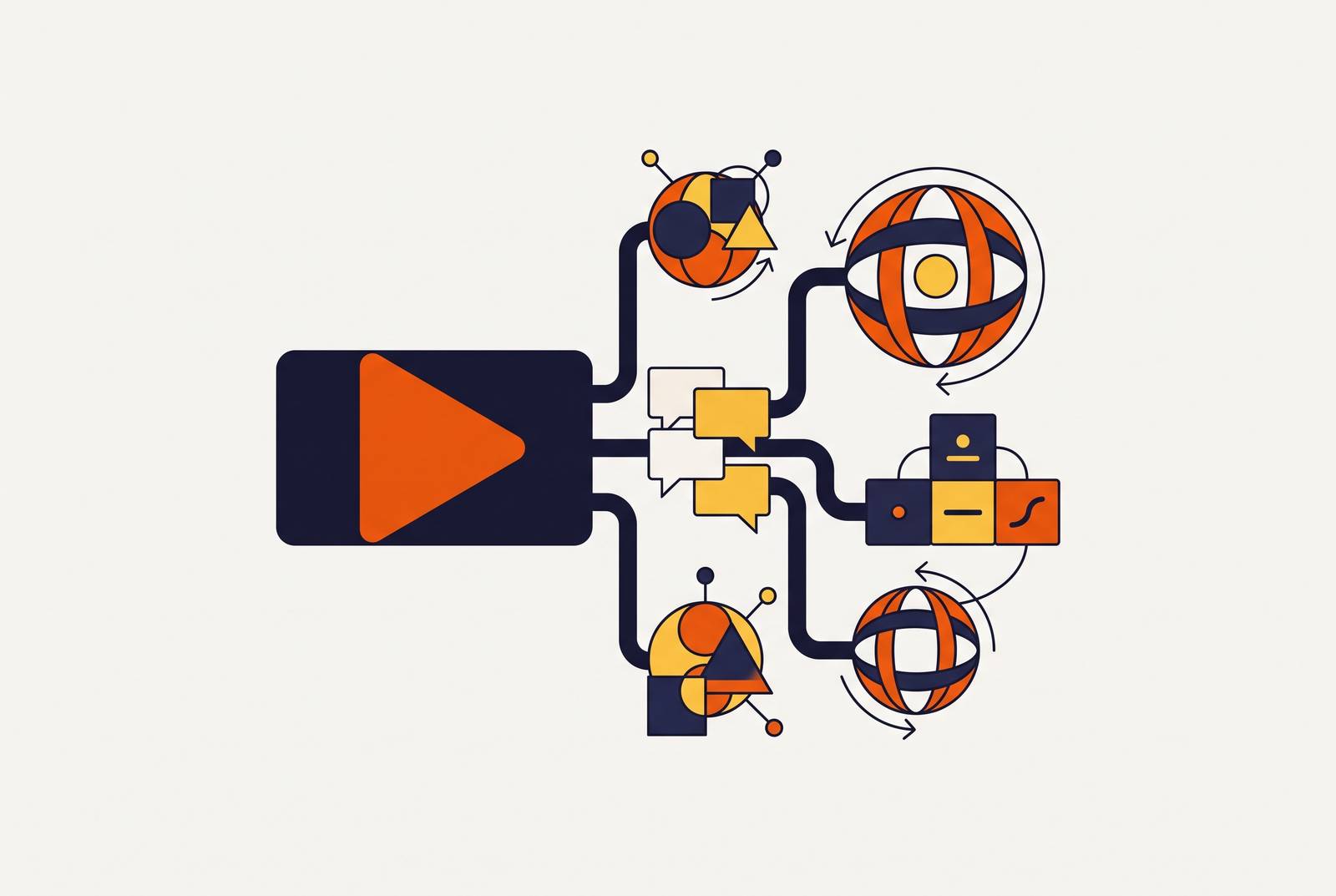
Localizing a software training video is a production problem, not a translation problem. Teams that treat it as translation end up hiring a transcription vendor, a translation agency, a voice talent booking service, a studio for recording sessions, someone to manually re-sync timelines, a QA round, and finally an LMS re-publish step. That chain has to run in full for every single target language, and it runs again every time the source content changes. None of those vendors share a project file or a common state, so one small edit to the script forces a full re-run across every language a team supports. Most localization processes inside companies were built for static slide decks, long before interactive video, quizzes, and branching paths entered the picture, and the process cracks under pressure well before it reaches a compliance checkpoint. They were greenlighting an entirely separate production project.
Requirements for a complete software training video to work in another language
A software training video is not one thing to translate. It has four distinct layers, and most tools stop at the first one or two.
The first layer is audio. A team has to choose between subtitles-only, voice-over (where the original audio stays audible underneath), or full dubbing, where the original audio is replaced. Each option has its own ceiling for how close the result feels to a native recording, and each one has a different effect on whether learners actually stay engaged through the video.
The second layer is on-screen text: subtitles, caption overlays, any UI labels visible inside the screen recording, and text burned directly into the video frame. Burning subtitles into the video during post-production feels like a shortcut, but it permanently locks that text into the file. Any later translation requires re-rendering the entire video from scratch. Teams that burn in subtitles today are closing a door they'll want open later.
The third layer is the interactive elements: quiz questions, branching path decision prompts, hotspot labels, and calls-to-action. This layer gets missed constantly because it lives separately from the audio and caption tracks. Localizing quiz text and branching prompts is its own job, distinct from translating narration or subtitles, and skipping it produces a strange, broken experience: a learner hears dubbed narration in their own language, then hits a quiz question still sitting in the source language.
The fourth layer is LMS packaging: the SCORM or xAPI output that tracks completion, progress, and assessment scores. SCORM lets a localized video plug into any SCORM-compliant LMS and preserves basic completion tracking, but SCORM's tracking is the same regardless of which language cohort is watching. Getting a true per-language read on performance requires xAPI.
Most teams push back here, saying subtitles are enough for now. But a subtitle-only decision, especially one that burns the subtitles into the frame, is a structural decision. It doesn't just limit today's output. So it blocks every future localization effort unless you re-render the whole video from the original source.
How localized layers shape comprehension and completion outcomes
It's which layers get localized that decides whether training actually works, not just whether it ships in another language. Native-language safety and technical training correlates with better protocol understanding and stronger adherence to safe practices, and employers tracking compliance outcomes see the improvement directly (a pattern HSI has cited from CPWR and OSHA research). Localized e-learning also gets you meaningfully higher engagement and completion rates than content that stays in the source language only.
For software companies, that gap compounds downstream. A user who doesn't fully understand how a product works won't adopt it at the rate a company needs. That user generates more support tickets, asks more repeat questions, and churns earlier than a user who got training in a language that didn't cost them extra mental effort to process.
Some teams resist this, pointing out that their international users are comfortable enough in English. Comfort with a second language doesn't erase the cognitive load of sitting through dense, fast-moving technical instruction. Completion data tends to expose that gap even among learners who rate their own English proficiency highly. Teams that invest across all four layers, audio, on-screen text, interactive elements, and LMS tracking together, see that lift show up directly in completion numbers, but only if the production process doesn't force a trade-off between moving fast and doing it right. Self-serve platforms built for training content can now turn out professional multilingual output in a fraction of the time an agency takes, so even an L&D team without a dedicated production budget can localize across all four layers.
The five-layer production pipeline that treats localization as a connected workflow
Compressing a multi-week agency timeline into a repeatable, same-week production cycle starts with treating localization as one connected five-stage pipeline.
Stage one is transcript generation and script preparation. You transcribe the source video into a clean, editable script before you start any translation. This is also where a team locks its terminology: a glossary that freezes product names, UI labels, and compliance terms so they stay consistent across every language version. If a team skips this step, it ends up with a product name translated three different ways across three different language outputs, and that gets expensive to fix once dubbing has already been generated. For screen-recorded software walkthroughs, the script also has to account for whatever shows up inside the product UI itself. If the UI isn't localized, the narration and the on-screen content will be in two different languages, and that mismatch needs to be planned for at this stage.
Stage two is translation consistency. Translation runs against the locked transcript, with the glossary enforced throughout, and branching path text and quiz questions get translated in this same pass. Handling the interactive layer here, instead of after the voice work is done, is what prevents the broken experience described earlier: dubbed audio in the learner's language sitting next to a quiz still written in English.
Stage three is voice localization. AI dubbing synthesizes translated speech while preserving the original speaker's tone, pacing, and timing, replacing the studio bookings and voice talent coordination that made per-language localization expensive. The choice between subtitles-only, voice-over, or full dubbing gets made once, back in stage one, and applied the same way across every language. New Com Academy used AI dubbing this way and saved more than 85% compared to their previous studio workflow, internationalizing their entire Academy without reshooting a single minute of footage. CEO Michael Kibele said even dense, technical terminology came through with precision.
Stage four is interactive adaptation and QA. Every localized interactive element, quizzes, branching paths, hotspot labels, calls-to-action, gets reviewed for functional accuracy in each language. This is the one stage where human QA isn't optional. Branching video sends learners down different paths based on their choices, so localization has to happen at the level of each decision point, not just in the surface text. A QA pass that only checks the audio track will miss a branching logic error completely. SCORM and xAPI packages get generated here too, for each language.
Stage five is multilingual analytics. Per-language engagement and completion data gets tracked from first publish, and xAPI gives you a level of granularity SCORM simply doesn't offer. That granularity lets a team see which language version is underperforming and figure out whether the cause is a translation error, a pacing problem, or a broken interactive element. Wiley, working with SimulTrans, saw a 46% cost reduction per language, three days faster delivery per video, and two hours less internal effort per language, results that only become visible once a team is measuring performance language by language instead of looking at one aggregate completion number.
AI's role in the workflow and the limits of human judgment
AI handles the mechanical steps in this pipeline reliably. But it cannot stand in for instructional design judgment, cultural adaptation, or the UI-reality checks that screen-recorded software content demands.
Transcription, translation at scale (including holding glossary-locked terms in place), voice synthesis with accurate timing, subtitle generation and formatting, and SCORM or xAPI package generation: these are the exact steps that used to make localization slow and expensive, and they're now handled reliably by automation.
What AI doesn't replace is the instructional design layer: setting learning objectives, sequencing content so it makes sense for a new regional audience, and writing assessments that actually test understanding. That layer determines whether a course works at all, not just whether it technically plays back correctly.
AI voice and avatar systems carry a real cultural risk: they can produce a tone that doesn't match what a regional audience expects, mispronounce a name or a technical term, or present a scenario that feels imported for that audience. That mismatch creates a kind of uncanny-valley effect that chips away at trust and engagement, even when the underlying translation is accurate.
Screen-recorded software content runs into its own hard limit. The screen capture itself stays in the source language unless the product's actual UI has been localized. It's an honest and often unavoidable choice to show an English interface under dubbed Spanish narration, but a team should decide to make that choice during stage one, not stumble onto it during QA. The localization ceiling for any software demo is set by how far the product itself has been internationalized, not by how good the dubbing is.
The interactive layer is where human review stays essential. A branching logic error or a mistranslated decision point won't show up in an audio check or a subtitle review. Someone who speaks the target language has to sit with the interactive layer directly and validate it before that language version goes live.
AI now compresses roughly 80% of the mechanical localization work, freeing up human attention for the 20% that actually requires judgment, instructional design, cultural review, and interactive QA.
How to evaluate localization tools against the self-service question
If you run a customer success or L&D team without a dedicated media group, don't ask which tool supports the most languages. It's which stages of the five-stage pipeline a tool actually covers, and where it quietly hands off to a separate workflow a team has to manage on its own.
Interactive layer coverage comes first. Does the tool localize quiz questions, branching paths, and hotspot labels in the same workflow as audio and subtitles, or does it stop at the media layer and leave the interactive layer to someone else? This single factor shows whether a tool was built for training content or just for general video.
LMS output matters just as much. Does the tool generate SCORM and xAPI packages per language, with tracking that works independently for each cohort, or does it hand back a video file that still needs to be packaged separately before it can go into an LMS?
Glossary and brand-term control is the third criterion. Can product names, UI labels, and compliance language be locked down before translation even runs, so the output stays consistent across every language?
Documentation parity is the fourth, and it's a gap most localization tools never touch. Does the tool generate step-by-step documentation, SOPs, how-to articles, from the same source recording used for the video, or does written documentation require an entirely separate production pass? Teams that produce video and documentation from the same workflow avoid the problem where the video says one thing and the written instructions say another after a product update. Clueso's workflow generates both a polished training video and step-by-step documentation from one screen recording, with one-click translation across 150+ languages, keeping video and docs in sync across every language version without needing a second documentation process running in parallel.
Pricing model is the fifth. Credit-based pricing that charges per generated video can make iterative work expensive fast: any small revision means regenerating the whole video and burning more credits, which eats into ROI for any team that updates content often. A flat-subscription or per-seat model tends to be more predictable for teams that revise training content regularly.
Workflow integration is the sixth. Does the tool slot into a team's existing stack, its LMS, its brand templates, its export formats, or does it require a whole separate production environment that becomes one more handoff gap to manage?
Building a repeatable multilingual content operation, not a one-time localization project
The teams that get the most out of multilingual training design their source content for localization from the very first recording. They don't retrofit translation onto a finished English video after the fact.
That means making a few decisions upfront: keeping subtitles as a separate, editable track instead of burning them in, writing scripts that avoid idioms and cultural references that require real transcreation rather than straight translation, and being honest about whether the screen recording shows a genuinely localized product UI or an English interface that will sit awkwardly under dubbed narration.
Software training content changes every time the product changes, so if a localization process needs the full agency chain re-run for every single update, you don't have a workflow. It's a string of one-time projects that happen to share a product name. A connected pipeline is built so that updating an existing language costs roughly the same as the original localization run did.
That shift changes the question teams ask. Training teams used to ask whether they could afford one new language this year. Now, with the per-language marginal cost dropped this low, they ask which six languages ship on launch. Six languages isn't the ambitious plan anymore. One language is the cheap, limited default.
What sustains that operation is the measurement layer. Per-language completion and engagement data, tracked through xAPI, tells a team which language version is underperforming before it turns into a retention problem or a compliance gap, and that closes a feedback loop the old agency-outsourced model never gave you.
One screen recording of a new feature goes into the pipeline and comes out the other side as a polished training video and a step-by-step help article, both localized, both ready for the LMS and the help center, on the same day the feature ships, in every language the company supports, without a production team and without a translation agency involved anywhere in the process.