Single Recording Session Workflows That Simultaneously Produce Video and Structured How-To Docs
AI turns one screen recording into polished video and structured docs through parallel processing.
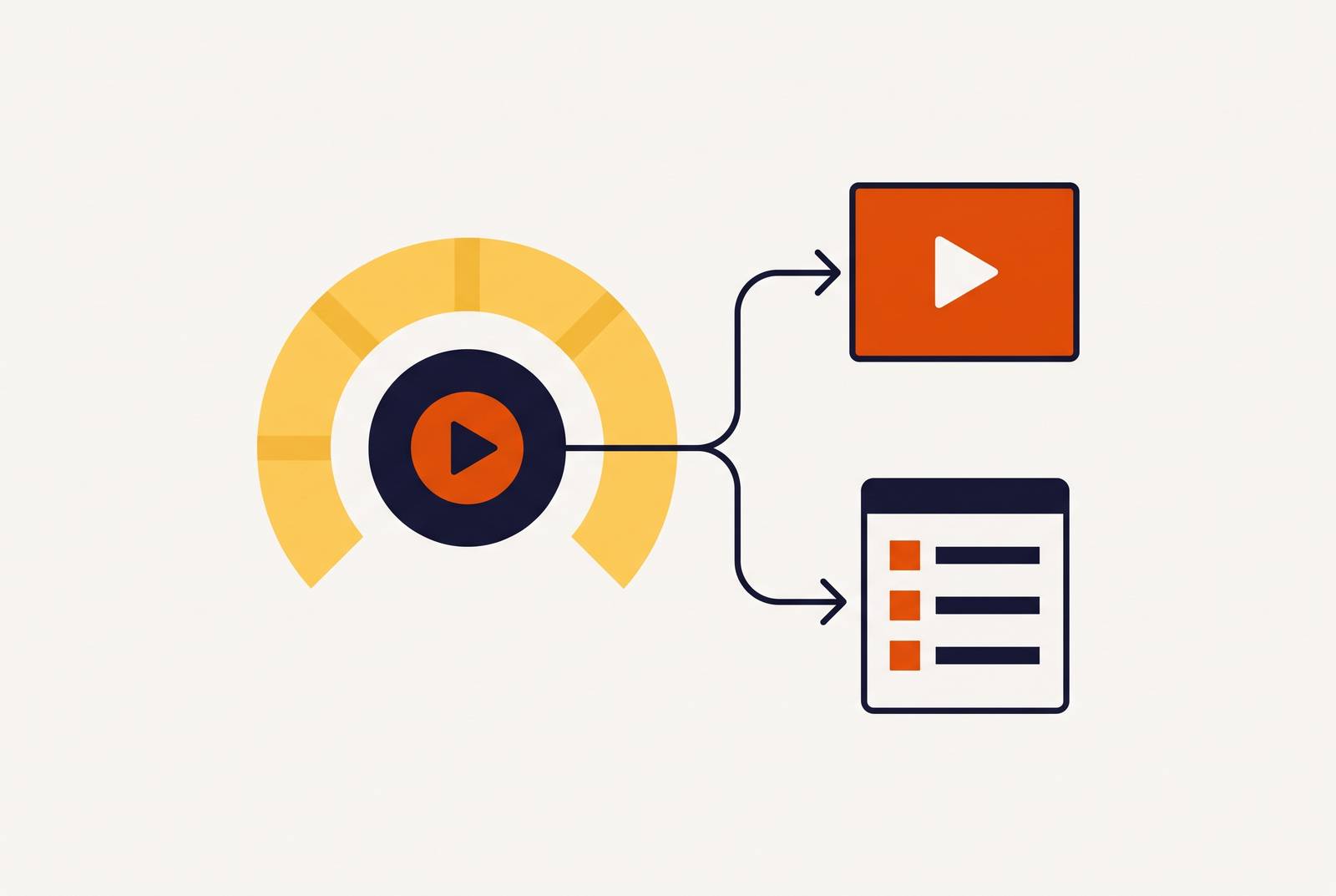
AI can process a single screen recording in parallel to make both a polished product walkthrough video and step-by-step documentation with a clear structure. The recording must be planned from the outset as shared input for video and writing. This workflow needs a recording with a clear structure, people who review both outputs together, and a shared way to update them.
Why treating a screen recording as a finished artifact creates two separate production problems
The team finishes the tutorial video, then someone has to “go back” and write the help article. A technical writer or product manager watches the footage, extracts the actions, and explains the same procedure again. The recording becomes a reference. Video editing and documentation authoring remain separate jobs, with different tools, skills, and production sessions.
That split creates more than extra writing work. It takes twice the work to make them and means going through two rounds of changes whenever the interface changes. The video and article can also drift apart, describing different steps or presenting them in a different order. The root cause is the assumption built into the workflow that completing one format is the right starting point for producing the other.
How AI changed the recording from a finished artifact into a shared input format
AI models trained on screen content can segment footage into procedural steps, generate narration, infer document structure, and produce different formats from one source. A recording can therefore supply both a video pipeline and a documentation pipeline at once. Neither output has to wait for the other. The important change is not simply faster transcription, but the ability to turn recorded actions into both visual instruction and structured text.
This changes the job given to AI. Instead of asking it to improve a paragraph after someone has written the article, a team can ask it to generate the article with screenshots while also producing the narrated video. As editing and structuring become faster, the human role shifts toward reviewing and approving the outputs. That shift only works, however, when the raw material makes the procedure clear enough for both uses.
What the recording session itself must do differently for both pipelines to succeed
Plan the recording before pressing record so both pipelines can use it. Give it a hook, core procedural content, and closing context or a call to action. Those boundaries help AI clip detection tell where the introduction ends and the instructions begin. Keep the procedure easy to separate from its framing. An improvised explanation forces the tools to infer where the useful steps begin and end, creating cleanup work in both outputs.
Within the procedure, narrate actions. “Click Settings, then click Users” names actions that can become numbered instructions and be matched to screen content. A broad statement about setting up permissions leaves the documentation generator to interpret what happened. Say what the viewer needs to do. This also gives the video pipeline a clearer relationship between the narration and the action that captions, voiceover, and zoom need to follow.
Keep the framing and pacing consistent for the same reason. ClipForge AI’s 2026 workflow guide explains that planned structure helps clip detection, while consistent composition helps captions, talking-head detection, and reframing. Plan to complete the procedure in one take, including every required step. Fixing an omission with another recording creates a discontinuity that both pipelines must stitch together or discard, reducing the time saved after upload.
How do you get a video walkthrough and step-by-step guide from one upload?
Upload the structured recording into an AI-assisted workflow that processes video and documentation in parallel. On the video side, the pass can include script cleanup, voiceover, smart zoom, captions, and branded formatting. On the documentation side, it can include step extraction, screenshot capture, article structure, and standard operating procedure formatting. The human should not have to finish editing the video before the written guide can begin.
The documentation pipeline extracts discrete actions and maps them to screenshots taken from the video frames. That replaces the separate task of finding and annotating screenshots for a manually written article. At the same time, the video pipeline turns that source into a narrated walkthrough that draws the eye to the actions being explained. These are different treatments of one procedure. The shared input keeps the written sequence anchored to the footage instead of to a later reconstruction of what the presenter meant.
To avoid another editing session, request the required video formats in that same pass. The same guide recommends generating all needed aspect ratios simultaneously, including 16:9 for a help center embed where that format is required. The workflow must also extract structured steps and screenshots from that input without sending the team back through a separate documentation session.
Where human review must sit in a two-artifact workflow and what it must check
Have a person review both outputs together after they are generated and before they are published. A subject-matter expert must compare both drafts with the current interface, checking every label, condition, and sequence. The AI draft is not the authority. Because both outputs share source material, an error in the extracted procedure can appear in both the video captions and the article. Reviewing only one leaves the other free to ship the same mistake.
For the video, check technical terms, proper nouns, and brand names in the captions. AI caption tools are known to get these wrong, and software instructions need to get them right. Confirm that smart zoom highlights the correct interface element and that voiceover pacing matches the on-screen action. Then check that the document follows the same procedure. Each numbered step needs the correct screenshot, and its wording must agree with the narration.
Check conditional steps on their own during that review. An instruction such as “if you see X, click Y” must not become an action that every user is told to take. Otherwise, an apparently tidy article can describe the wrong path through the product. Fix shared wording in the source so the fix reaches both outputs without having to edit each one on its own. This is where the workflow earns part of its efficiency, but only if the review treats the video and article as a pair.
Keeping both outputs current when the product changes
The first production run is only an early test. The harder test arrives when the interface changes and both published outputs need revision. Software APIs and interface flows evolve on sprint cycles, while videos and articles made on a longer cycle can quickly become stale. Users then follow instructions that no longer match the product. The resulting loss of trust can spread beyond the outdated piece to the rest of the training content.
Separate maintenance recreates the original production problem. One person edits the video again, someone else rewrites the article, and the two versions can drift apart again. A faster initial draft does not solve that. The unified workflow needs a regeneration loop in which changed footage feeds both outputs through the same process used at creation.
For that loop, re-record only the changed segment and run it through the dual-output pipeline. Treat the original recording as a template, retaining its structure, narration style, and framing where relevant. This planned replacement differs from patching an omitted step into an improvised first recording because the existing structure gives the update a defined place. The team reuses the workflow and reviews the regenerated pair before publishing. One re-record and one AI pass produce two updated artifacts.
Localization as the highest-leverage extension of a dual-artifact pipeline
A shared transcript also changes the work required to publish in additional languages. When both outputs come from one AI-cleaned transcript, a translation pass can supply the written documentation and video voiceover together. There is no need to start from unrelated drafts.
Vidocu’s 2026 documentation overview describes the change from coordinating translators, voiceover artists, and editors for a training video in five markets to triggering localization after the initial upload. It also describes written documentation being localized in the same pass as the video. Voiceover and translation become built-in features, eliminating the need for separate expensive tools. For teams that previously limited localization to two or three languages because each addition required a separate project, the shared source changes what is feasible.
Translated audio and subtitles do not provide a complete experience if embedded quiz questions, branching labels, or on-screen annotations remain in the source language. Teams should confirm that the chosen pipeline includes those elements where they are present. A translated narration track alone is not enough. The useful comparison is between workflows that localize the whole instructional experience and those that translate only part of it.
Measuring whether the unified workflow is actually delivering faster and better output
In the week after implementation, start with a concrete timing question. How long did it take to move from a completed recording to two reviewed, published outputs? Compare that with the previous sequential process, including the work of writing the article after the video. If manual cleanup and separate revisions still consume the saved time, the production cycle has not improved as much as the first draft suggests.
Are both outputs being updated on each sprint cycle, or does the team still wait for major releases? Check that each update reaches both formats before treating the work as done. Frequency reveals whether the process is practical enough to use. A workflow that teams use for small changes as a matter of course helps in a different way from one they save for the times when they overhaul the content.
Coverage provides another direct test of the saved effort. Which features or flows now have useful coverage in both a video and an article when they previously had neither because production cost too much? Then check how well those outputs meet the audience’s needs by looking at the number of support tickets on documented features for customer education, or training completion rates and assessment scores for L&D. For sales teams, the practical question is whether representatives use the updated demos or still return to stale decks.
Finally, compare the instructions across the two formats. Do the video steps and article steps agree, including their order and conditions? As both outputs are produced and refreshed together, their agreement reinforces the instruction a user receives, and checking that agreement catches errors before they reach learners.