AI Script Cleanup for Screen Recording Narration
Transform messy screen recording narration into polished video scripts automatically.
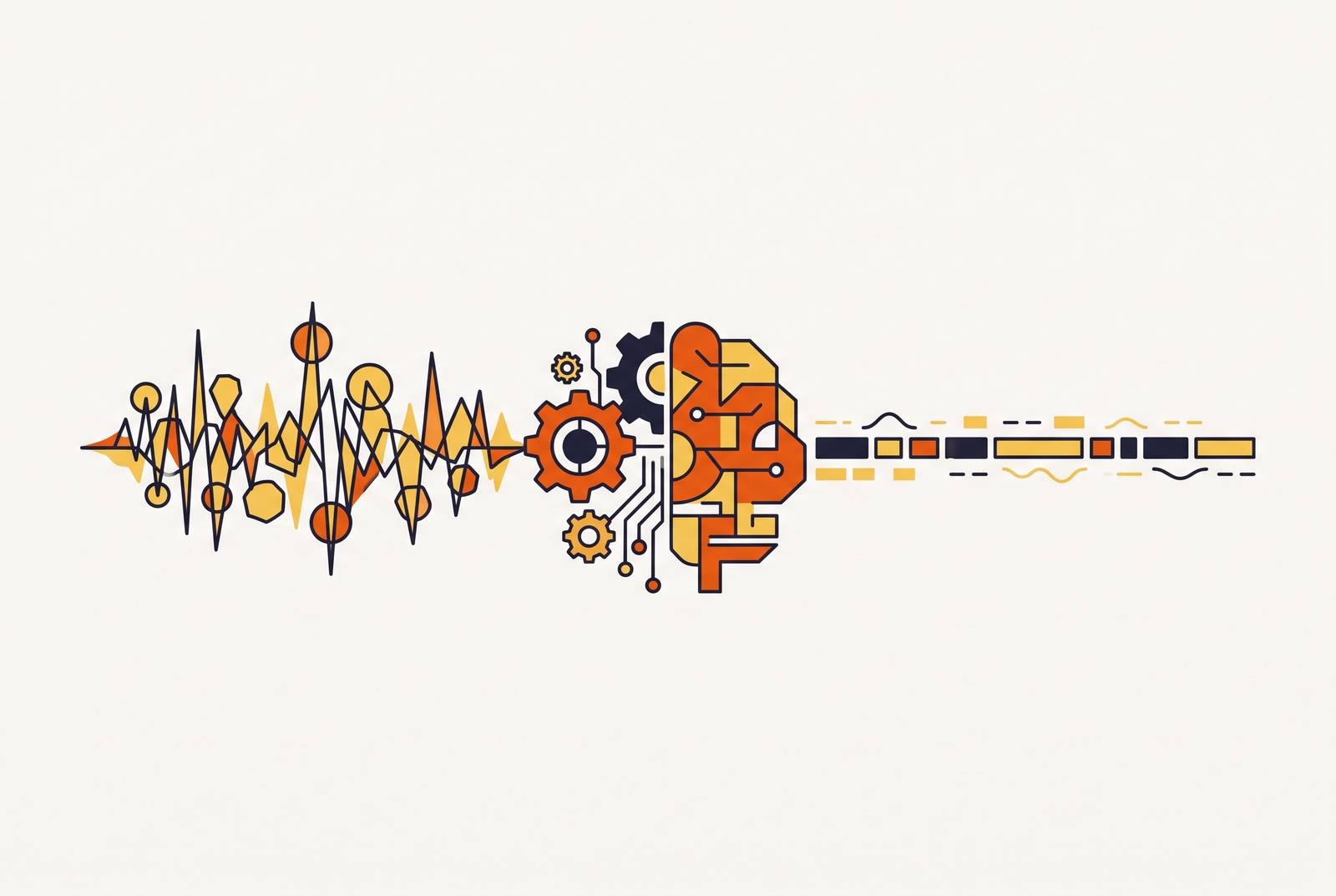
Raw narration from a screen recording is never ready to publish. It's full of "um," backtracks, half-finished sentences, and gaps where the speaker skipped a step because it seemed obvious at the time. AI script cleanup turns that rough capture into something a viewer can actually follow. Skipping this step is the single biggest reason so many product videos sound like a first take that shipped by accident.
The most effective method for removing filler words and tightening rambling narration in a software walkthrough is AI script cleanup applied to the transcript before any voiceover is finalized. A tool transcribes the recording, then strips every instance of "um," "uh," "so," "basically," and "you know" from the text; collapses the dead-air pauses that feel natural mid-sentence but stall a viewer; reorders steps that the speaker tacked on out of sequence; and replaces loose gestures like "click over here" with exact labels like "click the Export button in the top toolbar." The edit happens at the word level, meaning deleting a sentence from the transcript removes the matching clip from the timeline automatically. What remains is narration accurate to the screen, ordered the way a first-time user needs it, and short enough to follow while also watching a cursor move.
Most teams treat script cleanup as a nice-to-have, something to squeeze in if there's time before launch. It matters more than the microphone, more than the screen resolution, more than the branded intro slide, and treating it as optional is why so much training video looks finished but reads like a first draft. Here's what the process actually involves, why it counts double for software walkthroughs, and how to tell if a tool is doing it well.
What is the best way to clean up filler words and rambling in a software walkthrough video?
Text-based video editing is the foundation. A tool transcribes the recording, and that transcript becomes the master document. Delete a sentence in the text, and the matching clip disappears from the timeline. Move a paragraph, and the video reorders itself. Editing words has become editing video (a real shift from scrubbing a timeline frame by frame), and it's the only reason script cleanup is fast enough now to bother with on every video instead of just the important ones.
AI script cleanup sits on top of that transcription layer and does four things at once. It strips filler words: the "um," "uh," "so," "basically," and "you know" a speaker never notices saying but a listener catches instantly. It collapses dead air (the pauses that feel natural mid-sentence but read as awkward silence once they're on video). It rewrites the script itself, turning a rambling verbal draft into something grammatically complete and logically ordered. And it swaps vague phrasing for exact phrasing: "click over here" becomes "click the Export button in the top toolbar."
Some tools clean up narration a person already recorded. Others skip narration entirely, recording the screen in silence and generating a script from scratch by analyzing what happens on screen, click by click. Both count as AI script cleanup; they just start from opposite ends.
The process has a hard limit, worth naming plainly instead of glossing over. A tool doesn't know which step matters most to a first-time user, which feature deserves extra emphasis, or which caveat will save someone a support ticket next week. It clears mechanical noise out of the way, but what the creator actually knows still has to come through on its own. No amount of processing power fixes that gap.
The difference between cleaning audio and cleaning the script
Audio cleanup and script cleanup solve different problems, and treating them as one job is the most common mistake teams make. Get this wrong, and it shows up on screen every single time, whether anyone names it or not.
Audio cleanup works on the sound wave: removing hiss, normalizing volume, filtering the hum of an air conditioner. It changes how the narration sounds. Script cleanup works on the words; it changes what's actually being said. A recording can have pristine audio and still be a mess to sit through if the narration wanders, doubles back, and never quite finishes a thought.
Both passes matter, but they fail differently. A script with zero filler words, recorded in an echoey room, still sounds amateur. Studio-clean audio wrapped around a disorganized, run-on script is just as hard to follow, no matter how good the microphone was.
Here's where most manual workflows go wrong: they stop at the audio pass, because it's the one editors already know how to do by ear. The script pass takes real time by hand, so it's the one that gets cut. The finished video ends up sounding clean while reading like a mess underneath, and that gap stays invisible right up until a viewer hits rewind for the third time. AI script cleanup closes it by making the language edit fast enough that skipping it stops being the default choice.
How AI-generated voiceovers connect to script cleanup in a single workflow
Once a script is clean, it doesn't just sit there. It becomes input for the next stage.
A cleaned script feeds directly into an AI voiceover engine. The creator confirms the text, picks a voice, and the tool generates narration timed to match the video automatically, no manual syncing required. Edit one line later, and only that segment of audio regenerates; nothing else moves.
Tools like Camtasia's Audiate work this way: type or paste a script, get narration that sounds consistent take after take. A human voice varies with energy and mood from one session to the next. A generated voice holds the same tone every time, which sounds like a small thing until video forty needs to sound like video one and a human narrator's energy has drifted without anyone noticing.
Put the two steps together and the whole production model changes. A creator can start from a silent screen recording, run cleanup, generate voiceover, add captions and branding, and end up with a finished tutorial without a studio, a mic setup, or a voice actor on retainer. For teams updating tutorials constantly because the product itself keeps changing, that speed is the entire point. It's the difference between a video library that stays accurate and one that quietly goes stale while nobody's watching.
Where script cleanup fits in a repeatable screen recording production workflow
A workflow built around this approach tends to follow the same seven steps, in order:
- Capture. Record the walkthrough, narrating loosely or not narrating at all. Trying to nail the narration live is wasted effort now.
- Transcribe. Auto-transcription turns the audio into text within seconds of the recording ending.
- Clean. AI script cleanup strips fillers, fixes phrasing, fills in skipped steps, and lines the narration up with what's happening on screen.
- Review. A person reads the cleaned script and checks it for accuracy, tone, and completeness. Domain knowledge comes back into the process here, and nowhere else.
- Voiceover. The approved script generates narration, synced to the timeline.
- Polish. Zoom effects, captions, and branding go on; audio levels get normalized.
- Publish. Export, or for tools built around live embeds, push it live so future edits update automatically everywhere the video is embedded.
Notice where the bottleneck moved. Capture and editing used to be the slow part. Now the human review step is, which is exactly where a person's attention belongs, not spread thin across timeline scrubbing and audio leveling. For teams making training content at real volume, this repeatable structure matters more than any single feature inside it. The workflow is the asset, more than any single tool that runs it.
One caveat deserves stating plainly, not tucked in as a footnote: cloud-based tools upload recordings to remote servers to do this processing. A team recording a payroll system, an internal admin panel, or an unreleased feature needs to check a tool's data handling policy before this becomes standard practice, not after something ends up somewhere it shouldn't.
What good AI script cleanup output looks like compared to the raw input
Raw narration, transcribed exactly as spoken, tends to look like this:
"OK so, uh, now we're gonna go, so you want to click on, um, the settings icon up at the top right, and then you'll see, well actually first make sure you're logged in, and then you'll see these options appear."
After cleanup, the same instruction reads:
"First, confirm you're logged in. Then click the Settings icon in the top-right corner. A menu of options will appear."
Look at what actually changed. The fillers vanished completely. The caveat about logging in, which the speaker tacked on mid-sentence out of order, moved to where it belongs: the front, before the click it's supposed to precede. "Up at the top right" became "top-right corner," an exact label instead of a loose gesture at the screen. One long, breathless run-on became three short, separate sentences a viewer can follow while also watching a cursor move.
The cleaned version reads faster, sounds better out loud, and works as voiceover input on its own. The raw version fails on all three counts, and no amount of good production hides that. The reviewer's job stays narrow here: confirm the AI didn't quietly drop a step or flatten a nuance that matters for this particular product.
Why script cleanup has an outsized effect on customer onboarding and training content specifically
Viewers of onboarding and training video are trying to replicate a process, usually in a second window, usually against a clock. Every second of unclear narration is a second spent rewinding instead of doing the task in front of them.
That has a direct cost. A viewer who has to re-watch a section because the narration was ambiguous loses time and, along with it, a little confidence in the product. Video during onboarding only earns its place if it's genuinely easier to follow than the docs would've been. A rambling, filler-heavy walkthrough fails that test even with perfect visuals. Nobody forgives a video for being pretty and confusing.
Internal training carries the same problem with a sharper edge. Employees following a compliance procedure or an SOP walkthrough need narration accurate to the step, not just generally pointed in the right direction. A script that's loose or ambiguous introduces risk into a process that isn't supposed to have any. Whatever advantage video offers over text-only training disappears fast when the video itself is hard to parse. Worse, a confusing compliance video creates false confidence instead of an honest gap: someone walks away thinking they followed the procedure correctly when they didn't, and that's a more expensive failure than admitting the training didn't stick.
Teams that fund onboarding video but skip the script cleanup pass end up with something that looks finished and performs like a first draft: polished production values sitting on top of a script nobody actually edited. That combination is worse than a plainly rough video, because good lighting hides the problem instead of exposing it. Script cleanup is what shortens time-to-value, the gap between having a video and having a video that actually works for the person watching it.
How to evaluate whether an AI script cleanup tool is doing the job well
Start with transcription accuracy, because everything downstream depends on it. If the initial transcript mangles product-specific terms or feature names, the cleanup layer will confidently clean up the wrong words into something that reads smoothly and means nothing. Test any tool with a recording that uses the actual terminology of the product before trusting it with a real project.
From there, check the output against a short list:
- Fillers are gone completely, with no orphaned fragments left where a filler used to hold a sentence together.
- Step order matches the screen. Play the recording back against the cleaned script and confirm nothing got reordered.
- Tone fits the brand, not some default stiff, formal register the tool falls back on. Output needs to stay editable, not locked in place.
- Nothing got silently dropped. AI condensing wordy narration sometimes trims an entire step along with the filler sitting next to it.
- Languages are handled natively. Cleanup should happen in the source language itself, not as an English pass before translation somewhere else.
Workflow fit matters just as much as output quality. Does the cleaned script flow straight into voiceover generation inside the same tool, or does it require exporting to one place and importing into another? Can a person edit the script by hand after cleanup, with those edits reflected back on the timeline automatically?
Speed is the last test, and the one that matters most. Cleanup that saves time on video one but still needs heavy manual correction by video ten isn't solving the volume problem. Judge a tool by what it saves on the tenth video, not the first; that's the number that actually tells you whether it scales.
Keeping cleaned scripts current as software products change
The real cost of software explainer content was never making the first version. It's every update after that: a renamed feature, a moved button, a redesigned menu that makes last quarter's walkthrough actively wrong.
Without AI-assisted editing, updating a video means re-recording, re-editing, and re-syncing audio from scratch, which is exactly why most teams don't bother until the video is actively wrong and someone complains about it. With text-based editing and AI voiceover, updating a video moves closer to editing a document instead. Change the line that's now inaccurate, regenerate that one audio segment, and the video is current again, with no studio time and no re-record.
Tools built around live embeds push this further. Update the video once, and every place it's embedded (a help center article, a knowledge base entry, an onboarding email) updates automatically in a single pass. For L&D and customer success teams sitting on a library of hundreds of tutorials, that shifts the math entirely. Keeping content current stops being expensive enough to skip and becomes routine enough to just do.
The discipline this requires is simple to state and easy to skip anyway: treat the cleaned script as a living document tied to the product, revisited with each release, not shipped once alongside a launch and left alone. Skip that discipline, and the library rots quietly, one renamed button at a time, until half the tutorials are technically wrong and nobody's noticed yet. Build the habit instead, and the video library gets more valuable with age instead of less. Every new video follows the same seven-step pattern, and every old video stays accurate without anyone scheduling a re-shoot.